What the BO1 Zombies Browser Port Is
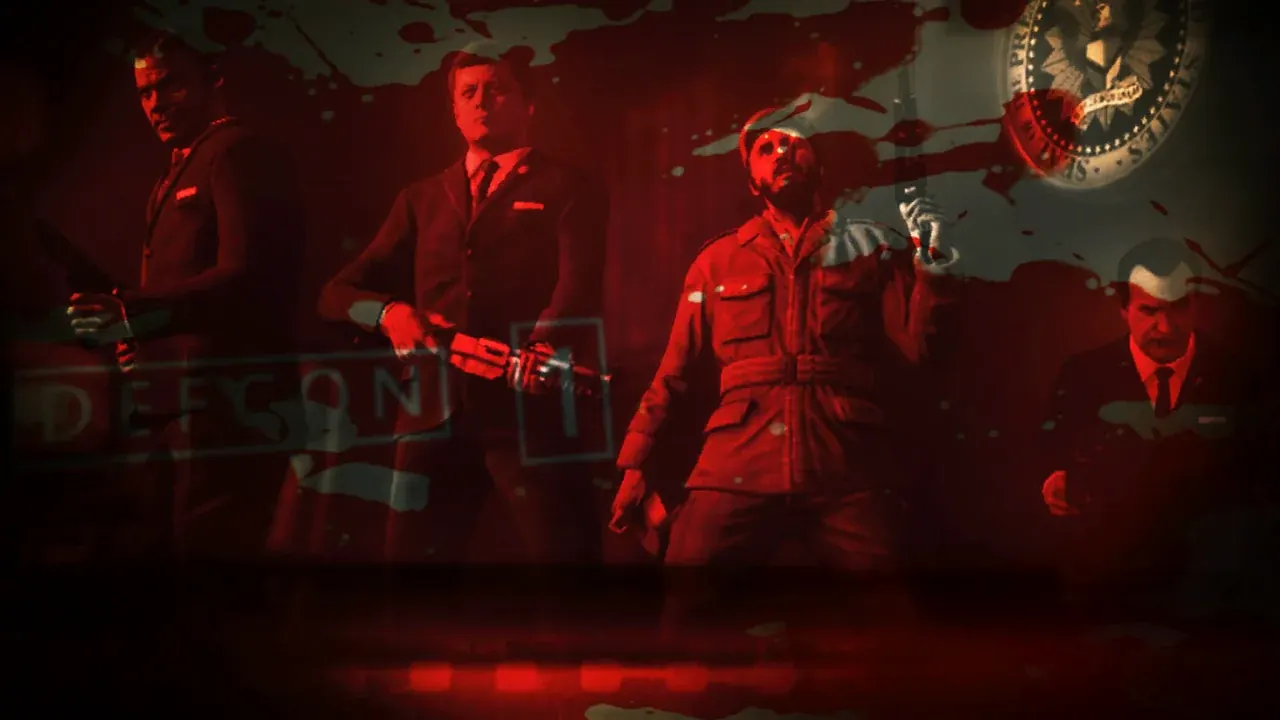
The BO1 zombies browser port is the Call of Duty zombies mode from Black Ops (Treyarch, 2010) running as WebAssembly inside a browser tab, which is why people also call it the COD zombies browser game. It opens on the game’s own solo map-select screen and plays the original maps with their buyable walls, Mystery Box and rounds, using the game’s assets streamed from vel.gg.
It is a fan project. Activision and Treyarch are not involved, the page credits no developer, and it could be taken down at any time. The engine names in its code (KISAK_FATAL, kisak-renderer) match Kisak Black, a public decompilation of Black Ops published in May 2026, which suggests that is the base it was built on.
Because the game needs shared memory (SharedArrayBuffer), it only runs when vel.gg is opened directly. That is why the Play button on this page opens it in a new tab instead of inside our site.
How to Play Black Ops 1 Zombies in Your Browser
- 1Open vel.gg/bo1z on a desktop or laptop in a current Chrome, Edge or Firefox, with hardware acceleration switched on.
- 2Pick a map on the map-select screen. Leave HORDE MODE off for the normal game.
- 3Wait for the download. The map’s intro cinematic plays while one progress bar shows the time left; keep the tab open.
- 4Click “Click to start”, then click inside the game to lock the mouse. Esc opens the menu with mouse sensitivity, volume and fullscreen options.
- 5Quit or End Game takes you back to map select. The next visit loads the map from your browser’s storage, so it starts much faster (about 30 seconds for Five).
All 10 BO1 Zombies Maps and Download Sizes
Every map is a separate download stored in your browser, so you only download the maps you actually play. “Before start” is what has to arrive before you can play; music and voice lines keep downloading in the background.
| Map | Originally from | Download | Before start | Horde Mode |
|---|---|---|---|---|
| Kino der Toten | Black Ops (2010) | 315 MB | 251 MB | Yes |
| Five | Black Ops (2010) | 305 MB | 247 MB | Yes |
| Der Riese | World at War (2008), Rezurrection | 328 MB | 247 MB | Yes |
| Nacht der Untoten | World at War (2008), Rezurrection | 271 MB | 202 MB | Yes |
| Verrückt | World at War (2008), Rezurrection | 295 MB | 220 MB | Yes |
| Shi No Numa | World at War (2008), Rezurrection | 289 MB | 229 MB | Yes |
| Ascension | First Strike DLC (2011) | 317 MB | 242 MB | Unstable |
| Call of the Dead | Escalation DLC (2011) | 317 MB | 234 MB | No |
| Shangri-La | Annihilation DLC (2011) | 328 MB | 241 MB | No |
| Moon | Rezurrection DLC (2011) | 386 MB | 227 MB | Unstable |
- Kino der Toten is the first map in the list and loads fastest once cached, which makes it the usual starting point.
- Nacht der Untoten, Verrückt, Shi No Numa and Der Riese are the World at War “Nazi Zombies” maps, remastered for Black Ops in the Rezurrection pack.
- Moon is the largest download. The old moon-zombies.pages.dev and kino-der-toten.pages.dev links from the X thread now redirect elsewhere; use the map list at vel.gg/bo1z instead.
- Sizes are read from each map’s download manifest on vel.gg (MiB) and may change when the port updates.
Horde Mode (Hell Mode): Round 100 With 300 Zombies
The map-select screen has a HORDE MODE switch (early coverage called it Hell Mode). With it on, the map starts at round 100 with up to 300 zombies alive at once and no perk machines. A counter on Tab shows how many are left. The switch stays on for your next visit until you turn it off.
According to the port’s own notes from October 4, 2026, Five, Kino der Toten, Der Riese, Nacht der Untoten, Verrückt and Shi No Numa reach the full 300. Moon and Ascension are not stable in this mode yet, and Call of the Dead and Shangri-La start as normal games.
Black Ops Zombies Browser Requirements
The page checks your browser before downloading anything. You need:
A desktop or laptop
Phones and tablets, iPad included, are stopped with a “built for a desktop computer” message. There is no touch or mobile version.
Current 64-bit Chrome, Edge or Firefox
The game reserves a 1.5 GB memory heap and needs WebAssembly threads and SIMD, which older or 32-bit browsers lack.
Hardware acceleration and WebGL2
It renders with WebGPU where available and falls back to WebGL2. Without graphics acceleration it will not start or runs like a slideshow.
Site storage allowed
Maps are saved in the browser’s private storage, around 300 to 400 MB each, so private windows or blocked storage cause trouble.
Keyboard and mouse
The game locks the mouse for aiming. Chromebooks are not blocked by the check, but whether they run it depends on their memory and graphics.
BO1 Zombies Browser Not Working? Common Errors and Fixes
“Built for a desktop computer with a keyboard and mouse”
You opened it on a phone or tablet. Open vel.gg/bo1z on a computer instead.
“Shared memory is unavailable”
The link was opened inside another page or an app’s built-in browser. Open vel.gg/bo1z directly in Chrome, Edge or Firefox.
“WebAssembly.Suspending is not a constructor” (Edge)
Edge’s “Enhance your security on the web” setting turns off a feature the game needs. Go to Settings → Privacy, search, and services → Security → Enhance your security on the web → Exceptions, add https://vel.gg and reload. Or use Chrome or Firefox.
“WebGL2 is unavailable” or “graphics setup is missing”
Switch on hardware acceleration in your browser settings, restart the browser and update your graphics driver.
“WebAssembly threads or SIMD are unavailable”
Update the browser and make sure it is the 64-bit version.
Low frame rate on big maps
Large DLC maps with a full horde are the heaviest. Close other tabs, check hardware acceleration, and try another browser; frame rates differ between them. If the graphics device is lost, open the map with ?renderer=webgl2 added to the address.
Download stalls or restarts
Keep the tab open and allow site storage. If something breaks, the page shows an error report with a Copy button you can paste when reporting it.
A site asks you to download a launcher
That is not this port. The real one runs entirely in the browser tab; close any page that pushes an .exe or extension.
Black Ops Zombies Browser FAQ
Is the Black Ops zombies browser game free?
Yes. vel.gg/bo1z costs nothing and does not ask for the original game or any files. The only cost is the download, about 270 to 390 MB per map.
Is there multiplayer or co-op?
No. The port runs the solo zombies mode only. There is no online co-op or split-screen.
Can I play COD zombies in the browser on mobile?
No. Phones and tablets are blocked by the page, and the game needs a keyboard and mouse.
Is this the real Black Ops made by Activision?
It uses Black Ops’ maps and assets, but it is an unofficial fan port. Activision and Treyarch did not make it and do not support it.
What are all the BO1 zombies maps in the browser version?
All 10: Kino der Toten, Five, Der Riese, Nacht der Untoten, Verrückt, Shi No Numa, Ascension, Call of the Dead, Shangri-La and Moon.
Why does it open in a new tab instead of on this site?
The game needs shared memory, which browsers only allow when vel.gg is the page you are on. Embedded in another site it stops with a “Shared memory is unavailable” message.
Sources
Facts on this page were checked on 2026-10-11.